Integrations Overview
Learn how integrations work in Imara and what tools you can connect to automate evidence collection.
What Are Integrations?
Integrations are connections between Imara and the tools your organization already uses daily — such as cloud providers, code repositories, HR tools, and identity providers. By connecting these tools, Imara can automatically collect evidence and continuously monitor whether security controls are active.
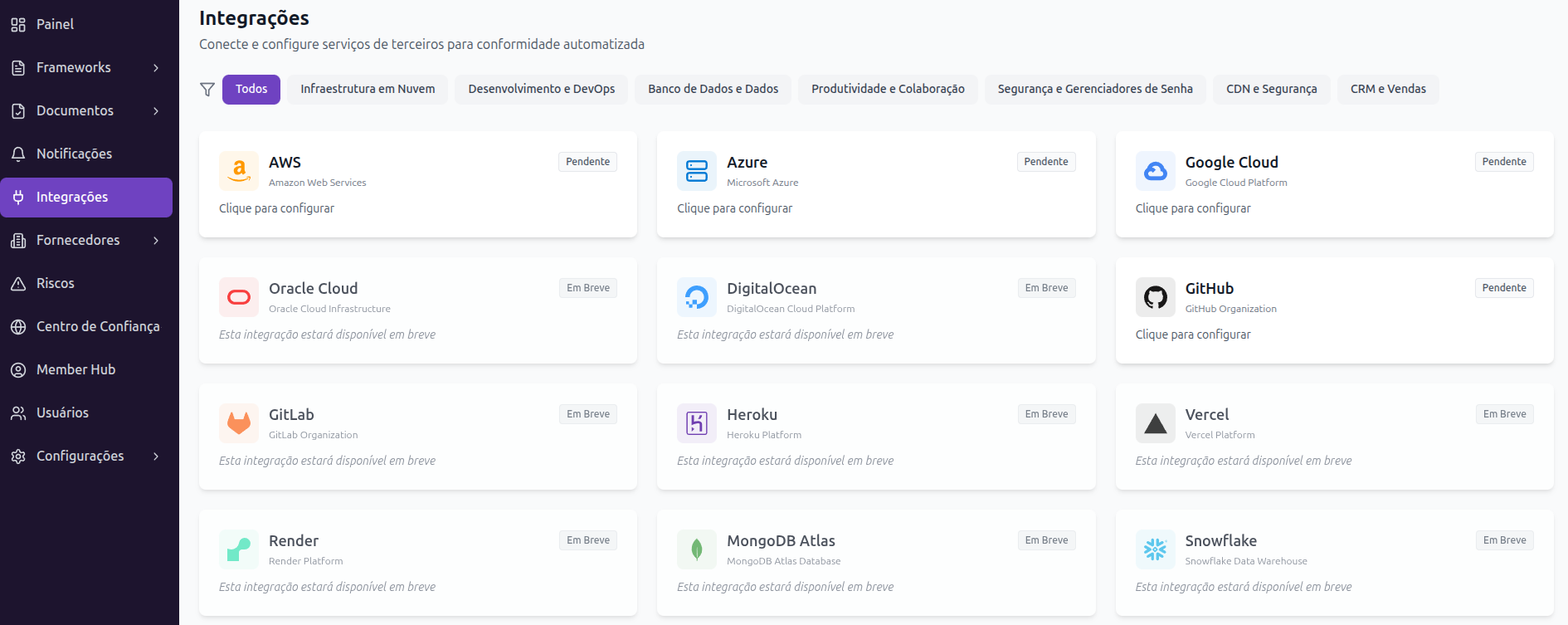
How Integrations Work
When you connect an integration, Imara uses secure APIs (usually via OAuth) to access relevant information from the tool. Data is collected at regular intervals and automatically linked to the corresponding controls. If a security configuration changes (for example, MFA is disabled on an account), the associated test fails and you are immediately notified.
Integration Categories
- Cloud Providers — AWS, Google Cloud — monitors security configurations, access control, and activity logs
- Version Control — GitHub — checks branch protections, code reviews, and repository security settings
- Identity and Access — Google Workspace — monitors user accounts, groups, MFA, and access policies
- HR Management — Collects onboarding records, training, and offboarding processes
- Endpoint Security — Monitors device compliance with security policies
Benefits of Integrations
With integrations connected, you significantly reduce manual evidence collection work. Instead of generating screenshots and reports periodically, Imara does it automatically. This ensures your evidence is always up to date and critical controls are monitored continuously — not just during audit cycles.
Integration Security
Imara requests only the minimum permissions necessary for each integration (principle of least privilege). Tokens and credentials are stored encrypted and never exposed in the interface. You can revoke access to any integration at any time in settings.